
LearnAnything Screen Recording Editing
Professional ScreenFlow Screen Recording Editing for Website Tutorial Videos
Start with the Problem: Raw Recordings Need Polish
A client wanted to showcase how his website works through screen recordings, turning them into customer-facing tutorials. He planned to embed them on his site and repurpose for promotions.
But with limited video editing knowledge, he struggled to trim clips, fix audio, or add flair. He needed an expert to transform his raw footage into polished, professional website demo videos.
My Role: 10+ Years of ScreenFlow Expertise
While hunting for a ScreenFlow editor, the client found me via messaging. He learned about my decade-long experience editing screen recordings, adding animations, and perfecting flows in ScreenFlow.
After reviewing his project details—a full website walkthrough—I agreed to handle it. We settled on a quick 1-day turnaround for a budget of $100-$200 USD, covering edits and revisions.
Why I Was the Perfect Fit
My background in screen recording post-production made me ideal for turning rough demos into engaging tutorials.
Approach: Streamlining Raw Footage to Pro Tutorial
The client had already captured multi-page recordings using ScreenFlow software, knowing exactly how the final site functioned. He sent me the project files and raw videos.
I dove in:
-
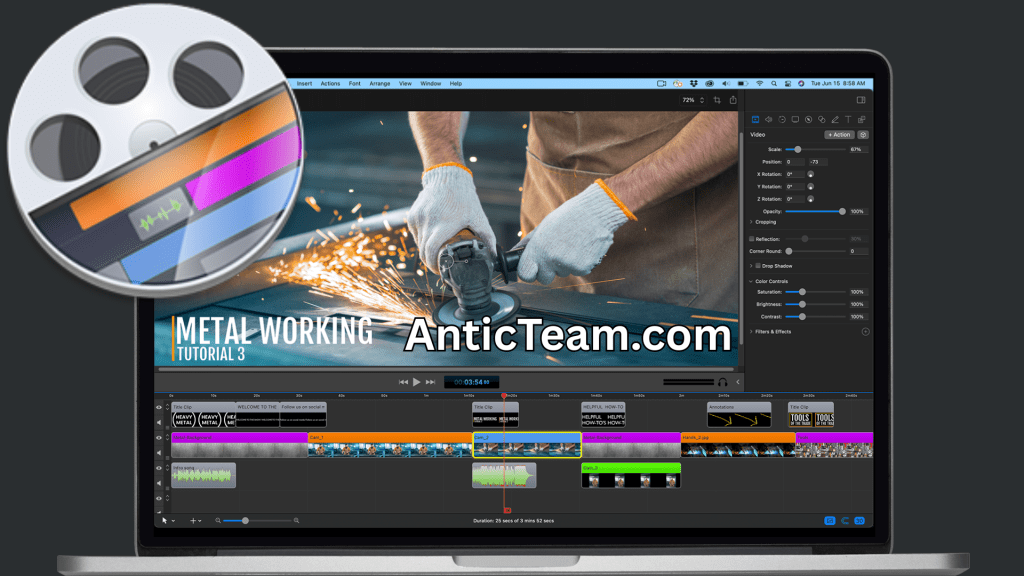
Opened files in ScreenFlow to trim excess footage.
-
Balanced audio levels for crystal-clear narration.
-
Added zoom-in/out effects and instructional animations to highlight key steps.
-
Incorporated visuals from PDFs, Google Docs, and project briefs for context.
Revisions were seamless—addressing his tweaks until perfection.
Tools and Skills in Action
-
ScreenFlow: Primary for editing, trimming, and animations.
-
Adobe Photoshop: Cropping images and custom overlays.
-
Google Docs & PDFs: Referencing client briefs for accuracy.
This efficient workflow wrapped up in just 1 day.
Results: Delighted Client and Bonus Tips
Multiple revisions left the client ecstatic with the final tutorial video. I delivered the edited ScreenFlow project file plus a ready-to-export output video—perfect for his website and promos.
Grateful for my extra effort beyond the timeline, he tipped generously on top of the $100-$200 USD budget. Now, his customers get a seamless tutorial experience that drives engagement.